Enable Javascript to access this page. Arena of An Artist
rss
twitter
    Find out what I'm doing, Follow Me :)

Friday, July 31, 2009

TO MAKE a ROMANTIC SCENE..in ADOBE PREMIERE


first see the output...
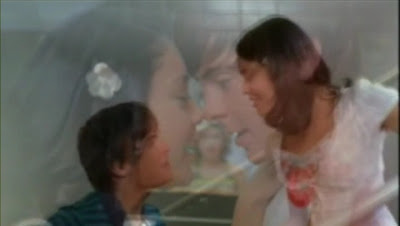

ITS a scene from a video made by me...

now HOW TO MAKE It...

1. collect 3-4 scenes of your couple just playing..n shot should be taken nt close...I mean it shld not be a close up..both shld be fully visible...

2. take a scene of couple's close up of face prefably... like the one in that scene..

3. place those 3-4 scenes one after other in main layer...with suitable transitions..

4. now the main thing... apply ur close up scene on a layer above it...

5. give feather(imp).. n blend with suitable transparency..


NOW YOUR EFFECT IS READY...play with it with more settings..you will learn more..

-
-


Thursday, July 30, 2009

All Latest Movies in 300MB h264 encoded Format

MOVIE SHARING

Hey everyone.. the time of 700mb DvDrip's is Out
now the latest codec is...h264. The same quality of 700MB xvid you can get in 300MB in h264...


Nowadays various encoders are available which can convert to n from h264

nyways now some talk of work

here are some movies encoded in h264...ENJOY..!

-> GO HERE <-

ENJOY

-Ashish

ADOBE PREMIERE TUTORIAL 2

This is the tut to create an awesome effect with a simple pik in a video


I got this effect when i was making a
video...i had a pik in the vid...initially all i did was increased the size of the pik as the music progressed...it was looking nice...but i was look in for something more dramatic..so i invented this...

THIS TUTORIAL IS HARD TO UNDERSTAND SO CONCENTRATE..


1. in a start frame make the pik small size n in end frame make it medium (not large)... as video will progress from start frame to end frame its size will also progress..


2.now copy the same image in second layer.. in the start frame... make the size a li'l more smaller and in end frame make the size a li'l more larger( this time make it large)

3. now...apply blending of cross fading with suitable transparency...

4. u can change the transparency of both layers with time to make it look more dramatic...

5. now feather both layers according to the look u want n what looks good according to background n theme

6. this effects looks good if u use dip to black effect of transition

7. use Gaussian blur at suitable time to add cherry to the cake.. i have not specified settings of blending, transparency and feather as it totally depends on content

ENJOY


-Ashish